
Roughly 22–23 states require E-Verify for some private employers, often with low employee thresholds, while a few states like California and Illinois impose restrictions on its use. Federal contractors must comply with E-Verify requirements under the FAR clause, independent of state laws. Employers must stay updated on state-specific statutes, maintain accurate enrollment data, and ensure consistent verification practices to avoid penalties, including fines and loss of business licenses.
- Nearly all states with E-Verify laws require the program for businesses crossing thresholds as low as four employees, with nine states mandating it broadly for most private employers.
- States like California and Illinois restrict or limit how employers can use E-Verify, requiring notifications and preventing misuse beyond federal requirements.
- Federal contractors must use E-Verify under the FAR clause regardless of state law, but the requirement depends on specific contract terms and site locations.
- Employers must annually verify the current statutes, maintain accurate enrollment data, and apply the same verification policies uniformly across all locations to avoid penalties.
- Handling Tentative Nonconfirmations properly involves fair employee contest rights, accurate documentation, and corrections of internal errors to prevent discrimination claims.
In this article
Federal law requires E-Verify only for federal contractors covered by the FAR clause and certain other narrow categories. Everyone else falls under state law, and state law is where the real variation lives. A growing bloc of states now mandates E-Verify for some or all private employers, while a handful restrict its use outright. Find your state in the breakdown below, then work through the compliance checklist.
E-Verify Requirements by State: The Full Breakdown
Coverage splits into four practical buckets, and knowing which one your state falls into determines almost everything else about your compliance obligations. Legal summaries indicate that as of mid-2026, roughly 22 to 23 states require E-Verify for at least some public or private employers, with nine of those states applying it broadly across most private employment.
States requiring E-Verify for all or most private employers typically apply the mandate once a business crosses a small employee threshold, often as low as four or five workers. Alabama, Arizona, Georgia, Louisiana, Mississippi, North Carolina, South Carolina, Tennessee, and Utah anchor this group, according to state E-Verify tracking from Greenspoon Marder. If you hire in any of these states, assume E-Verify applies unless a specific statutory exemption says otherwise.
States requiring E-Verify for public agencies, public contractors, or specific sectors make up a larger and more varied group. Florida, Texas, Virginia, Nebraska, Oklahoma, Missouri, and several others require it for state agencies, public works contractors, or businesses receiving state economic incentives, rather than every private employer. The NCSL’s state E-Verify tracker breaks these distinctions down by statute, and it is the fastest way to confirm whether your sector triggers the requirement.
States that restrict or limit E-Verify use sit at the opposite end. California and Illinois both cap what employers can do with the program. California generally bars employers from using E-Verify beyond what federal law strictly requires and adds notice obligations tied to Immigrant Worker Protection Act rules. Illinois similarly limits early or improper use of E-Verify and requires specific employee notifications before any verification step.
States with no E-Verify mandate at all leave the decision to the employer. Federal contractors in these states still must comply through the FAR clause, but private employers face no state-level requirement either way.
Legislatures revisit these rules almost every session. Watch for expansion bills in states bordering mandatory-use states, since neighboring jurisdictions often follow suit within a few years of each other.
Employer Size Thresholds, Exemptions, and Penalties to Verify
Threshold language varies enough between states that you cannot assume a rule from one applies to another, even among states in the same mandatory-use category. Some set the trigger at four employees, others at 15, and a few apply the mandate regardless of headcount if the employer holds a state contract or license.
Common exemptions worth checking against your own operations include:
- Employers already verifying through a federal contract’s FAR clause
- Seasonal or temporary agricultural employers in certain states
- Employers below the state’s minimum headcount threshold
- Employers rehiring a previously verified employee within a defined window
Penalties escalate depending on the violation and the state. Typical enforcement mechanisms include:
- Monetary fines ranging from a few hundred to several thousand dollars per violation
- Suspension or revocation of business licenses, particularly in states tying E-Verify to licensing renewal
- Loss or suspension of state contracts for public contractors found noncompliant
- Debarment from future state contracts for repeat violations
Pro Tip: Pull the exact statute citation and its effective date the first time you check a state’s rule, and store it in your HR compliance file. Statutes get amended more often than most employers expect, and having the citation on hand saves hours if a state agency ever asks how you determined applicability.
Because thresholds and penalties shift with each legislative session, verify current language directly through your state labor department or the NCSL tracker rather than relying on last year’s memo.
Federal Contractors and the FAR E-Verify Clause
Federal contracts covered by FAR clause 52.222-54 require E-Verify participation regardless of what state the work happens in. This is the one scenario where E-Verify use is federally mandated outright, and it does not depend on state law at all. The clause typically flows down to subcontractors on covered contracts, so a subcontractor working under a prime federal contract may be bound by the same requirement even without a direct federal agreement.
Confirming coverage means reading your contract’s clause list closely, since not every federal contract includes it. Contracts under a certain dollar threshold, contracts for commercially available off-the-shelf items, and contracts of short duration are commonly excluded.
A practical checklist for contractors:
- Search your contract documents for FAR 52.222-54 by clause number, not just by name
- Confirm whether the clause applies to your specific task order, not just the parent contract
- Enroll every covered hiring site, not just your headquarters location
- Review subcontractor agreements for flow-down language before subcontractors begin work
- Reconfirm coverage annually, since contract modifications can add or remove the clause
A federal contractor operating in a state that also mandates E-Verify does not face double the paperwork. One enrollment and one set of hiring-site records typically satisfies both obligations, provided your hiring sites are properly registered under your account.
How to Enroll in E-Verify and Set Up Multi-Site Compliance
Getting your account right the first time avoids the rework that comes from mismatched hiring-site records later. Follow these steps in order:
- Gather your enrollment data before logging in. You will need your EIN, NAICS code, total employee count, and the full address of every hiring site. The E-Verify portal does not save partial sessions, so incomplete information means starting over.
- Choose your enrollment structure. Employers hiring at a single location enroll directly; multi-location employers typically enroll as a corporate administrator and add hiring sites underneath that account.
- Add hiring sites individually or via bulk CSV upload. Bulk upload saves significant time if you operate more than a handful of locations, since each site otherwise requires separate manual entry.
- Sign the Memorandum of Understanding that governs your obligations as a participating employer.
- Set your internal timing rule. Every new hire needs an E-Verify case created within three business days of their start date, tied to a properly completed Form I-9.
Pro Tip: If you manage hiring across multiple states, standardize your internal E-Verify policy company-wide rather than applying it only where required. Consistency prevents the discrimination claims that arise when one location runs E-Verify checks and a similar location does not, especially when the difference tracks with the demographics of who applies at each site.
The USCIS Remote I-9 Alternative Procedure
E-Verify participants in good standing can use a remote document examination alternative instead of physically inspecting Form I-9 documents. This matters for any employer with remote hires or distributed hiring sites, since it removes the need to fly someone in or mail original documents.
The process runs in a fixed sequence:
- The employee transmits copies of their identity and work-authorization documents
- The employer examines those documents over live video, not a recorded call
- The employer retains clear, legible copies of every document reviewed
- The employer annotates Form I-9 to note the alternative procedure was used
Skipping the annotation step is one of the most common audit findings USCIS examiners flag, so treat it as mandatory, not optional. Retain your copies exactly as you would retain any I-9 supporting document, and keep them accessible for the full retention period in case of an inspection.
Your Compliance Checklist and the Mistakes to Avoid
Run through this sequence for every state where you hire:
- Confirm whether your state mandates E-Verify and at what threshold
- Enroll and register every applicable hiring site
- Write a single internal policy applied consistently across locations
- Train HR staff on Tentative Nonconfirmation (TNC) handling
- Retain I-9 and E-Verify records for the required period
- Apply the same verification rules to every applicant regardless of citizenship status or national origin
The mistakes that generate real exposure are rarely dramatic. They tend to be inconsistent application between hiring sites, misreading a threshold that changed in the last legislative session, mishandling a TNC by treating it as an automatic termination trigger, and forgetting to annotate Form I-9 when using the remote alternative procedure.
Pro Tip: A TNC is not proof of unauthorized status. Employees have the right to contest it, and terminating someone before that process concludes is one of the fastest ways to draw a Department of Justice inquiry.
Where State E-Verify Rules Meet Employee Rights and Privacy Law
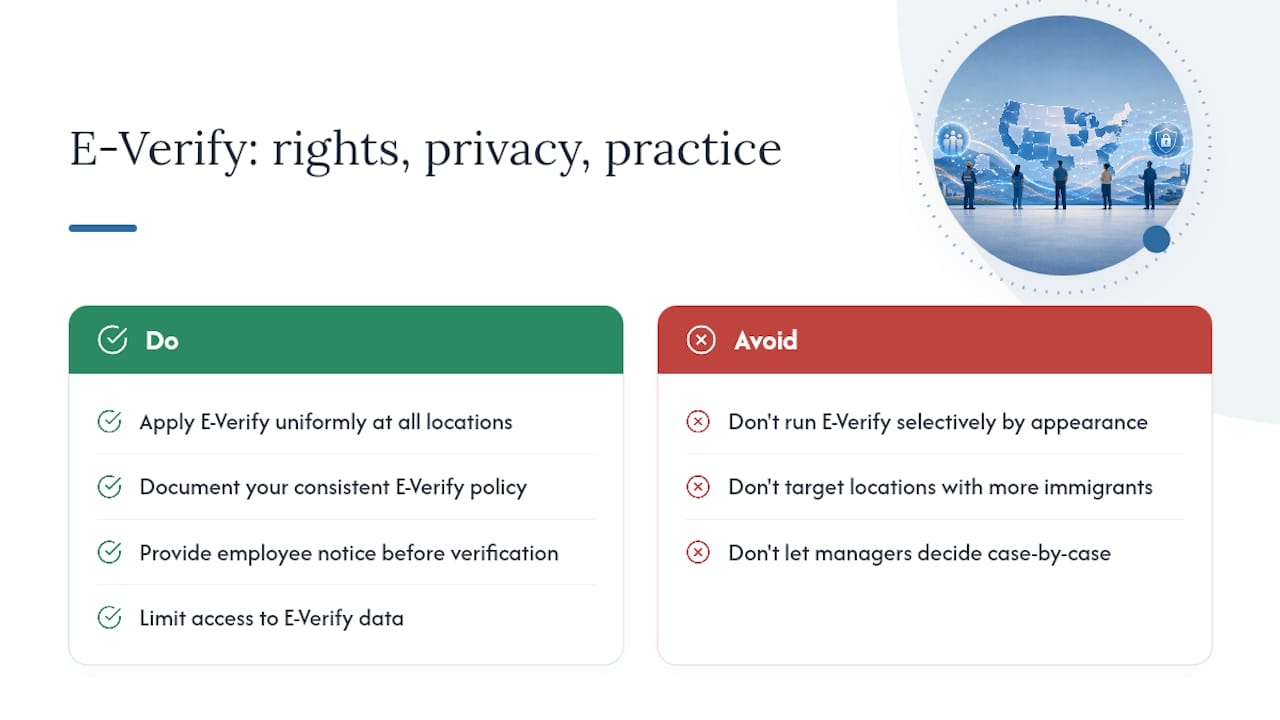
State E-Verify mandates do not operate in isolation from broader worker-protection law, and treating them as purely a compliance box to check creates real legal exposure. Federal anti-discrimination law prohibits employers from using E-Verify selectively based on citizenship status, national origin, or any protected characteristic, and several states layer on their own notice and privacy requirements on top of that baseline.
California and Illinois illustrate this most clearly. Both states restrict how and when employers can run E-Verify checks specifically to prevent the program from being used as a pretext for discriminatory screening, and both require specific employee notifications before verification steps proceed. An employer who runs E-Verify only on employees who “look” foreign born, or only at locations with higher immigrant populations, is exposed regardless of whether the state technically mandates the program.
Privacy considerations extend to how you store the personal data E-Verify generates and collects. Social Security numbers, document images, and case results all need the same data-security handling you would apply to any sensitive personnel record, with access limited to staff who actually need it for compliance purposes.
The safest posture is uniformity: apply your E-Verify policy the same way at every location, document that consistency, and never let local hiring managers decide case by case whether to run a check.
Handling Employee Disputes and E-Verify Errors
Most E-Verify disputes start with a Tentative Nonconfirmation, and how you handle that first notice determines whether the situation resolves cleanly or turns into a legal problem. A TNC means the information submitted did not immediately match government records. It does not mean the employee is unauthorized to work, and it never justifies immediate termination or suspension.
Once a TNC issues, the employee has the right to contest it. Your job as the employer is to provide written notice, give the employee a fair opportunity to visit the relevant agency and resolve the discrepancy, and continue employing them normally while the case remains open. Employees frequently win these disputes because of clerical errors like a maiden name still on file, a recent legal name change, or a transposed digit in a Social Security number.
Errors on the employer side are just as common. A mistyped EIN, a hiring site linked to the wrong corporate account, or a case created after the three-day window can all trigger unnecessary complications. When you catch an internal error, correct the case promptly and document the correction date, since a documented timeline protects you if the case is ever reviewed.
Escalate genuinely ambiguous cases to your E-Verify employer support contacts rather than guessing, since misapplied TNC procedures are a frequent basis for discrimination complaints.

Support Resources by State and Federal Agency
USCIS and the E-Verify program office handle enrollment questions, TNC procedures, and account management for every participating employer nationwide, regardless of which state you operate in. That is your first stop for anything program-mechanical: login issues, case status questions, or clarifying what a specific error code means.
For the legal question of whether your state mandates participation and under what conditions, the NCSL state tracker remains the most reliable secondary source, since it compiles statute citations across all fifty states in one place. From there, most state labor departments or secretaries of state publish their own guidance pages with the exact statutory language and any recent amendments.
Multi-state employers benefit from building a simple internal reference sheet: one row per state, listing the mandate type, the threshold, the statute citation, and the date you last verified it. Revisit that sheet at least annually, since legislative sessions in mandatory-use states routinely adjust thresholds or add sectors to coverage.
Staffing partners familiar with multi-state hiring compliance, including workforce-compliance resources like the Fair Workweek Compliance playbook, can help HR teams translate these state-by-state distinctions into a single operational policy rather than fifty separate ones.
Confirm the Details Before You Act
Rules shift by legislative session, so verify specifics directly. Start with E-Verify’s employer resources for enrollment and TNC procedures, the NCSL state tracker for statute citations and effective dates, and your state labor department for the current text. Note the date you checked each source.
An Employer’s Take on E-Verify Compliance
Most employers treat E-Verify as a binary question: does my state require it or not? That framing misses where the actual risk sits. The bigger exposure is inconsistency, running checks at one location and skipping them at another, or applying a threshold rule you never confirmed against the current statute. State legislatures amend these laws more often than employers assume, and a rule you checked two years ago may already be outdated.
The conventional advice to “check if your state requires E-Verify” treats this as a one-time lookup. It is not. It is an ongoing compliance function that needs a documented review cycle, the same way you’d treat wage-and-hour law or workplace-safety rules.
If you take one thing from this rollup, prioritize uniformity over minimalism. Build one policy, apply it everywhere you hire, and document your statute checks with dates. Employers who scale hiring across multiple states without that discipline are the ones who end up explaining inconsistent practices to a state labor board, which is a far worse conversation than the one about enrollment paperwork ever was.
— Bradford
This article is general information, not a substitute for advice from a qualified lawyer. Consult a qualified legal professional about your own circumstances before acting on anything here.
FAQ
What Are the Requirements for E-Verify?
Employers must sign an E-Verify Memorandum of Understanding, provide their EIN and NAICS code, register every hiring site, and create a case for each new hire within three business days of the start date, tied to a completed Form I-9.
Which States Limit or Restrict Background Checks Tied to E-Verify?
California and Illinois both restrict how and when employers can run E-Verify, generally limiting use to what federal law requires and adding specific employee notification obligations before verification begins.
Is E-Verify Federally Mandated?
E-Verify is federally mandated only for federal contractors covered by the FAR E-Verify clause; outside that group, participation depends entirely on state law.
Who Is Exempt From E-Verify?
Common exemptions include employers below a state’s minimum employee threshold, employers already verifying under a federal contract’s FAR clause, and, in some states, seasonal agricultural employers, though exact exemptions vary by state statute.